
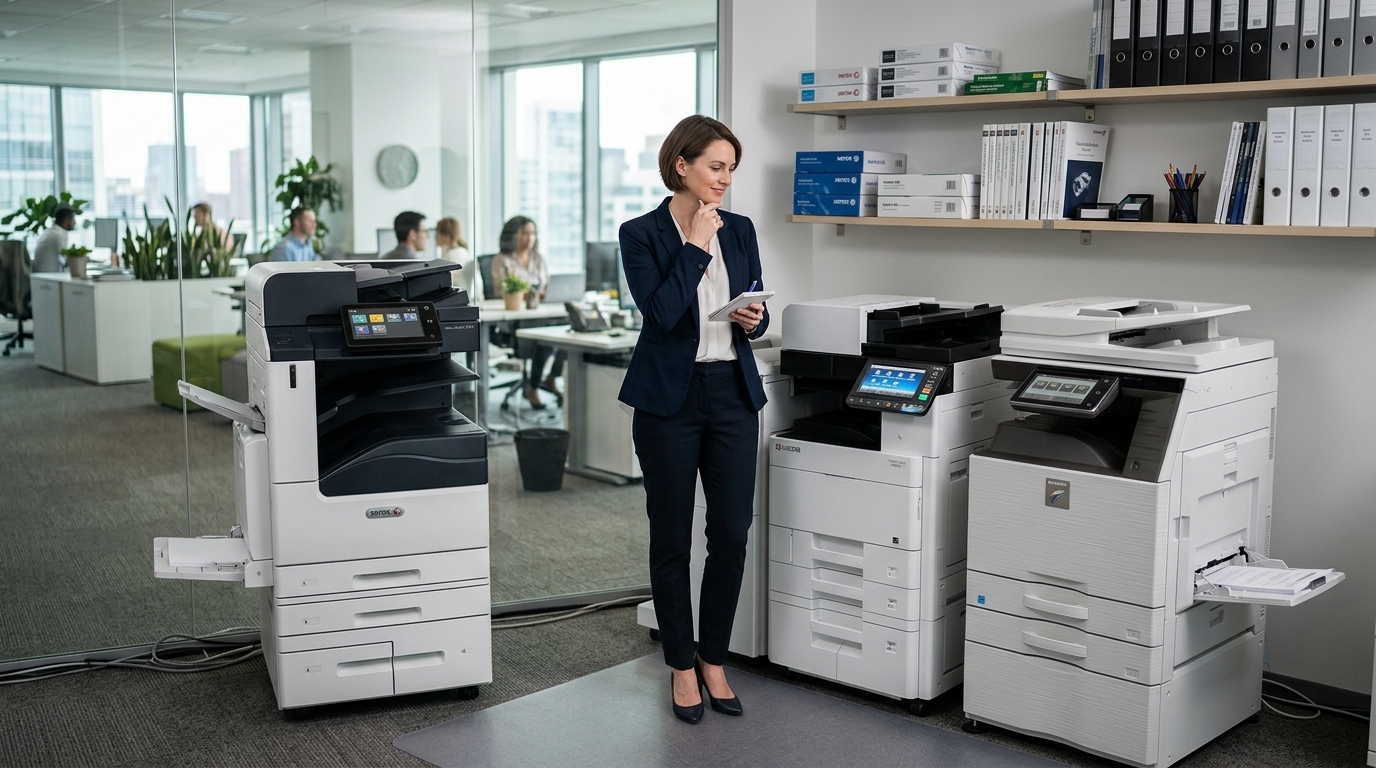
When businesses start comparing Xerox copiers, Kyocera copiers, and Sharp copiers, it can be tempting to ask which manufacturer makes the “best” machine. In reality, the better question is which specific copier fits your office’s workload, workflow, budget, and technology requirements.
A copier that works perfectly for a high-volume organization may be unnecessary for a small office. Likewise, an entry-level machine may struggle in a department that prints thousands of pages every week.
The right choice starts with your business needs.
Start With Print Volume
Your monthly print volume should be one of the first things you consider.
Estimate how many pages your office prints and copies during a typical month.
Also consider whether that volume is increasing.
A machine should be capable of handling your normal workload without constantly operating at the edge of its capacity.
If you’re unsure of your current volume, your existing copier’s meter readings may provide useful information.
Xerox Copiers
Xerox has a long history in office printing and offers multifunction equipment for a variety of business environments.
When considering Xerox copiers, businesses may look at factors such as print speed, scanning, workflow features, security, finishing, and connectivity.
Xerox equipment can be available in different configurations, so compare the specific model rather than the brand alone.
Ask whether the machine can handle your expected monthly volume and whether its features align with how your employees work.
Kyocera Copiers
Kyocera copiers are another option for businesses evaluating multifunction office equipment.
Kyocera offers equipment across different performance categories, making it possible to evaluate models based on office size and printing requirements.
When comparing Kyocera equipment, consider:
- Monthly volume
- Print speed
- Color capabilities
- Scanning
- Paper capacity
- Security
- Finishing
- Connectivity
- Operating costs
Again, the specific model matters.
Sharp Copiers
Sharp copiers can also be considered when businesses are evaluating professional multifunction equipment.
Depending on the model, businesses may have access to features involving printing, copying, scanning, workflow, security, and document management.
If your organization relies heavily on scanning, look closely at scanning speed and document-handling capabilities.
If employees frequently produce large document packets, finishing features may be important.
Look Beyond the Brand
A common mistake is selecting a brand before determining what the business actually needs.
Instead, create a checklist.
For example:
How much do we print?
Do we need color?
How much scanning do we do?
How many employees use the copier?
Do we need finishing?
What security features are required?
Does the copier need to integrate with existing software?
How much can we spend?
Once you answer these questions, you can compare equipment more effectively.
Print Speed Isn’t Everything
Businesses often focus heavily on pages per minute.
Speed matters, but it shouldn’t be the only factor.
A copier that prints quickly but lacks sufficient paper capacity or scanning features may still create bottlenecks.
Think about the entire workflow.
If employees spend more time preparing documents than waiting for them to print, scanning and finishing features may be more important than raw print speed.
Scanning Can Be a Major Productivity Feature
Many offices now use their multifunction copier as part of a digital document workflow.
Employees may scan:
- Contracts
- Invoices
- Receipts
- Forms
- Customer records
- Internal paperwork
Features such as duplex scanning and automatic document feeding can make these processes much easier.
If your business is trying to reduce paper handling, scanning capabilities deserve serious consideration.
What About Color?
Color can be valuable for presentations, proposals, marketing materials, charts, and customer-facing documents.
But not every document needs it.
Before choosing a color copier, consider how much color printing your business actually performs.
High-volume color printing can affect toner usage and operating expenses.
If your business only needs occasional color, your equipment strategy may be different from an organization that produces color documents every day.
Consider Finishing
Finishing capabilities can save employees considerable time.
Depending on the equipment, options may include:
- Stapling
- Sorting
- Hole punching
- Folding
- Booklet creation
If your employees regularly assemble large document packages manually, finishing equipment may improve productivity.
Security Matters
Your copier may be connected to the same network as computers and other business devices.
It may also process confidential information.
Ask about security features such as:
- User authentication
- Secure print
- Access controls
- Data protection
- Network security
- Document security
Your IT department can help identify the features your business requires.
Xerox, Kyocera, and Sharp Aren’t Your Only Options
Businesses can also compare Ricoh copiers, Copystar copiers, and Canon copiers.
Expanding your comparison can be useful when you’re looking for equipment with specific capabilities.
Rather than limiting your search to a single manufacturer, compare models based on your requirements.
Lease, Buy, or Rent?
Once you’ve narrowed down the equipment, you’ll need to consider how you’ll obtain it.
A copier lease can spread equipment costs over time.
Buying gives your business ownership.
Copier rental can be useful when equipment is only needed temporarily.
The appropriate arrangement depends on how long you’ll use the equipment, your budget, and your business plans.
Service Is Part of the Decision
Don’t choose equipment without asking who will maintain it.
A copier is a critical workplace tool, and downtime can affect productivity.
Ask:
- Who handles repairs?
- How quickly is service available?
- Are parts covered?
- Is toner included?
- Is preventive maintenance available?
Local service can be particularly valuable for businesses that rely heavily on their equipment.
Final Thoughts
Comparing Xerox copiers, Kyocera copiers, and Sharp copiers doesn’t have to be complicated.
Start with your office.
Determine your print volume, scanning requirements, color needs, security expectations, finishing requirements, and budget.
Then compare specific models and service options.
The goal isn’t to select a brand simply because it is familiar. The goal is to find equipment that fits the way your business actually works.
Printer Copier Guys helps businesses in Riverside and San Bernardino counties evaluate copier equipment, leasing, rental, repair, and maintenance options.
Comparing copier brands? Contact Printer Copier Guys to discuss which equipment features make sense for your office.