
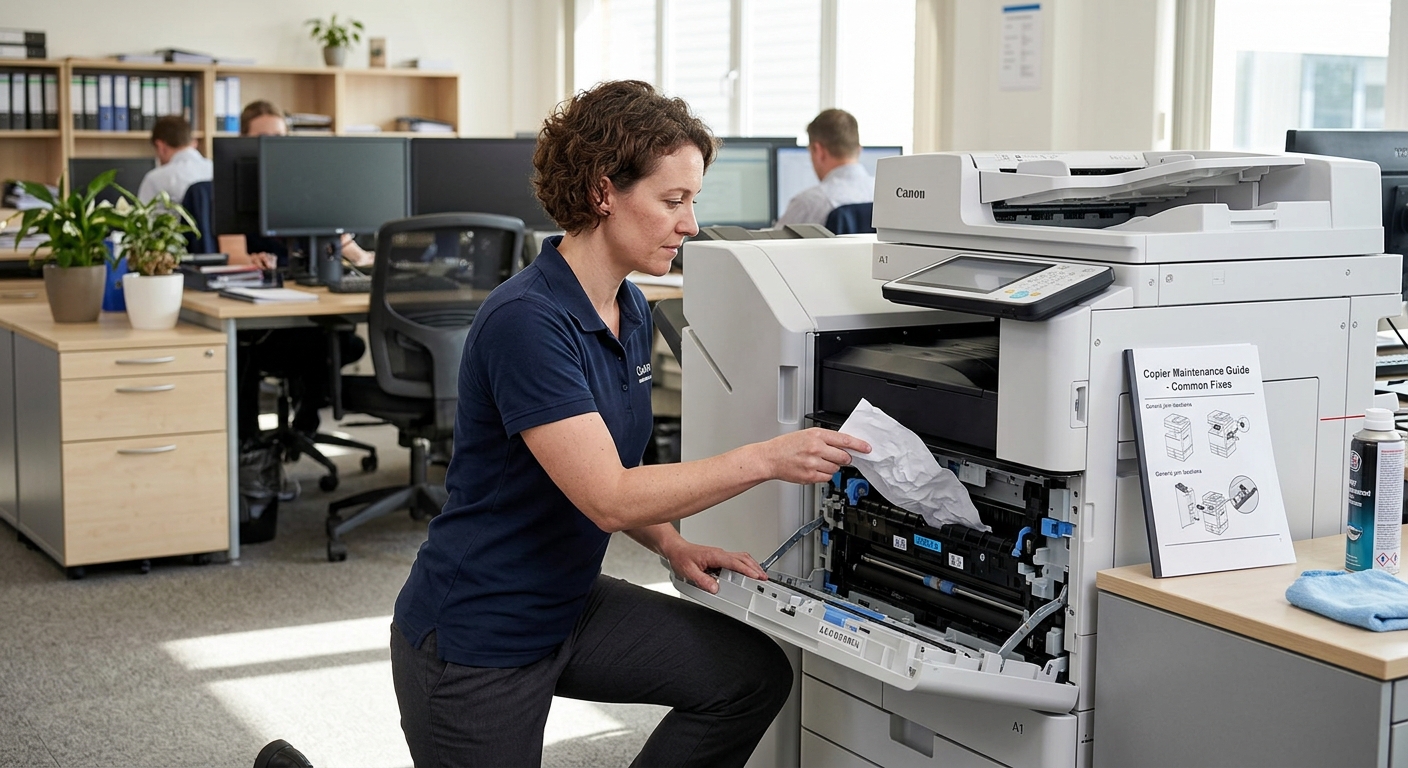
Few things are more frustrating during a busy workday than walking up to the copier and finding a paper jam. Fortunately, many basic paper jams can be resolved without immediately calling for copier repair. Understanding why jams happen and how to safely clear them can help your office get back to work faster.
However, not every jam should be handled by an employee.
Repeated jams, mechanical problems, damaged rollers, or paper stuck deep inside the equipment may require professional service.
Here’s how to handle common copier paper jams safely.
Why Do Copier Paper Jams Happen?
Paper jams can have several causes.
Sometimes the problem is as simple as improperly loaded paper.
Other times, the paper itself may be causing the issue.
Common causes include:
- Overloaded paper trays
- Incorrect paper size
- Damp or damaged paper
- Curled paper
- Incorrect paper guides
- Torn paper
- Foreign objects
- Worn rollers
- Internal mechanical problems
The first step is identifying where the paper has become stuck.
Step 1: Follow the Copier’s Instructions
Modern multifunction copiers usually display instructions when a jam occurs.
Look at the control panel.
The machine may indicate the general area where the paper is stuck.
Follow the manufacturer’s instructions carefully.
Don’t immediately pull on the first piece of paper you see.
There may be additional pieces farther inside the paper path.
Step 2: Stop the Print Job
If possible, pause or cancel the current print job.
This prevents additional pages from entering the paper path while you’re trying to clear the jam.
If the copier is actively moving components, wait until it has stopped before opening access panels.
Step 3: Open the Correct Access Area
Copiers typically have specific doors or panels designed for clearing paper jams.
Open only the panels identified by the machine’s instructions.
Avoid forcing doors or covers that don’t open easily.
If something doesn’t move normally, stop.
Forcing a panel can damage the machine and turn a simple paper jam into a repair problem.
Step 4: Remove the Paper Carefully
If you can reach the jammed paper, remove it slowly.
Pull the paper in the direction of the normal paper path whenever possible.
Avoid ripping the sheet.
A small piece of paper left inside the machine can cause another jam later.
If the paper tears, check the area carefully for remaining pieces.
Step 5: Check the Entire Paper Path
Don’t assume that removing the visible sheet solves the problem.
Check the areas identified by the copier.
Some machines have multiple access points.
Look for additional pieces of paper around:
- Paper trays
- Feed rollers
- Duplex units
- Output areas
- Fuser areas
- Document feeders
Be especially careful around areas that may become hot during operation.
Step 6: Close Everything Securely
Once the paper has been removed, make sure all doors and trays are completely closed.
Many copiers will not operate if an access panel is slightly open.
The machine should then clear the error or allow you to resume the print job.
What If the Jam Keeps Coming Back?
A single paper jam isn’t necessarily a problem.
Repeated jams are different.
If the same area jams over and over, there may be an underlying issue.
Possible causes include worn rollers, incorrect paper, damaged components, or mechanical problems.
Repeated jams are a good reason to contact a copier technician.
Continuing to pull paper out of the machine without addressing the underlying cause may make the problem worse.
Check Your Paper
Paper quality can have a surprisingly large impact on copier performance.
Paper should be stored in a dry environment.
Moisture can cause sheets to stick together.
Damaged or curled paper can also create feeding problems.
Before loading a fresh ream, check that the paper is clean, dry, and free of obvious damage.
Don’t Overload the Tray
Every paper tray has a maximum capacity.
Don’t fill it beyond the indicated limit.
Overloading the tray can interfere with proper feeding.
Also make sure the paper guides are positioned correctly.
The guides should hold the paper in place without squeezing the stack too tightly.
Use the Correct Paper Settings
Your copier needs to know what type and size of paper you’re using.
If you’re printing on thicker stock, envelopes, labels, or specialty media, select the appropriate settings if your equipment supports them.
Using the wrong media settings can contribute to feeding or fusing problems.
Don’t Pull Aggressively
One of the worst things you can do during a paper jam is yank the paper.
You may remove the visible sheet but leave fragments behind.
You could also damage internal components.
If the paper won’t come out easily, stop and follow the manufacturer’s procedure.
If necessary, call a professional.
What About Document Feeder Jams?
Paper jams can also happen in the automatic document feeder.
This can occur while scanning or copying a multi-page document.
If this happens:
- Stop the job.
- Open the document feeder cover.
- Follow the machine’s instructions.
- Remove the document carefully.
- Check for torn pieces.
- Close the feeder securely.
- Restart the scan or copy job.
Avoid pulling hard on documents that are firmly stuck.
When Should You Call for Copier Repair?
A professional technician should be considered when:
- Jams happen repeatedly
- Paper is stuck in an inaccessible area
- Rollers appear damaged
- The machine makes unusual noises
- Error codes continue after clearing the jam
- Paper is repeatedly wrinkled or damaged
- The copier stops feeding paper correctly
Repeated paper jams can indicate a mechanical issue that requires professional attention.
Preventing Future Paper Jams
Prevention is easier than dealing with constant interruptions.
Your office can reduce paper jams by:
- Storing paper properly
- Using compatible paper
- Keeping trays correctly loaded
- Avoiding damaged sheets
- Following copier maintenance schedules
- Cleaning accessible areas as recommended
- Scheduling preventive maintenance
- Addressing repeated jams quickly
Employee training can also help.
Make sure everyone who uses the copier knows how to load paper correctly and what to do when a jam occurs.
Maintenance Makes a Difference
Regular maintenance can help keep the paper path, rollers, and other components operating properly.
A copier technician can inspect components that aren’t practical for employees to service themselves.
Preventive maintenance may also identify worn parts before they cause a larger problem.
For busy offices, this can reduce unexpected downtime.
Final Thoughts
A paper jam doesn’t always require a service call.
Simple jams can often be cleared by following the copier’s instructions and removing the paper carefully.
But if jams become frequent or the machine develops additional symptoms, it’s time to investigate the underlying cause.
Don’t turn a small paper problem into a major equipment problem by forcing components or repeatedly pulling paper from areas you cannot safely access.
If your business is dealing with persistent jams or other copier problems, Printer Copier Guys provides copier repair and maintenance services for businesses in Riverside and San Bernardino counties.
Having repeated copier problems? Contact Printer Copier Guys to schedule professional service.