
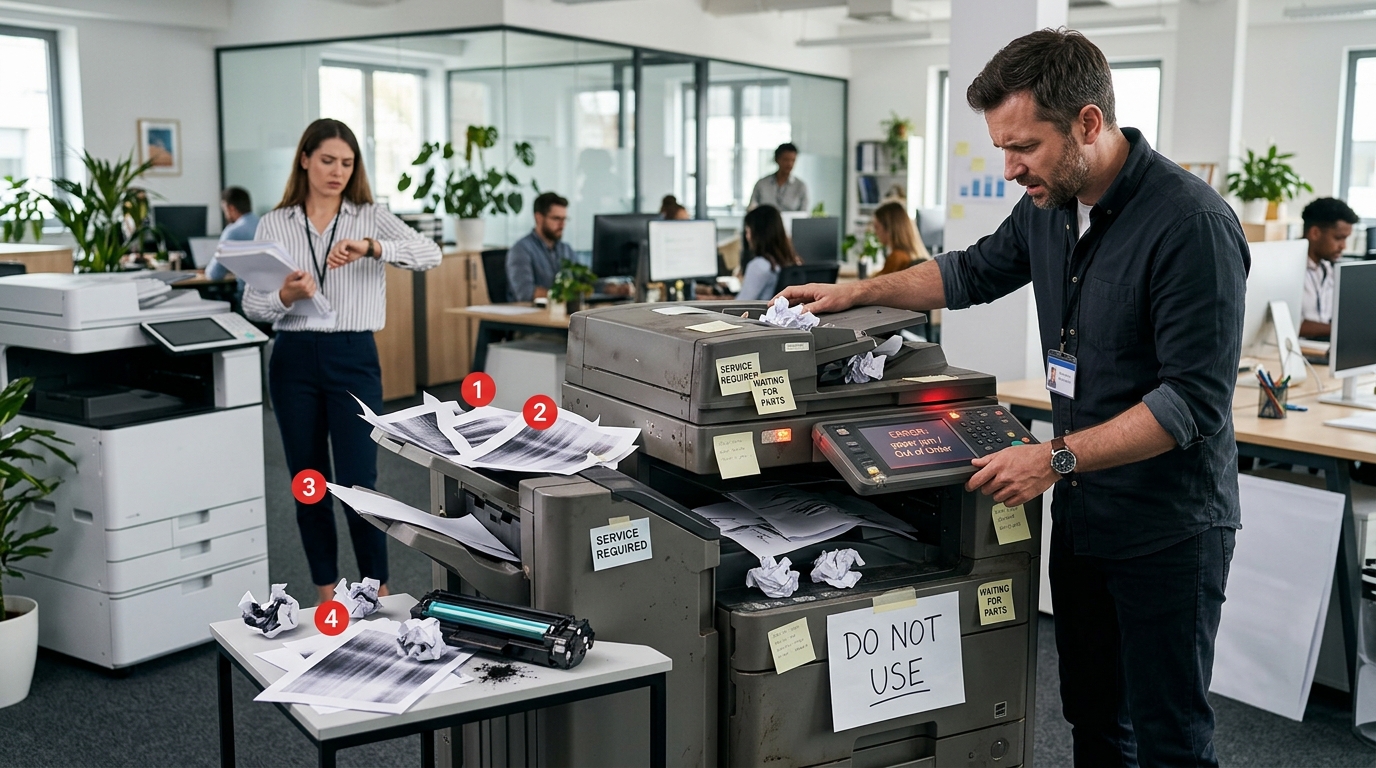
An office copier can be one of the most frequently used pieces of equipment in a workplace. From printing contracts and invoices to scanning records and preparing presentations, employees often depend on their multifunction copier throughout the day. But like any other business equipment, a copier eventually reaches a point where keeping it running may cost more time and money than replacing it.
The challenge is knowing when that point has arrived.
A copier does not necessarily need to be replaced simply because it is several years old. If it continues to perform reliably and meets your business needs, keeping it may make perfect sense. However, certain warning signs indicate that your current equipment may be holding your office back.
Here are seven signs it may be time to consider an upgrade.
1. Your Copier Breaks Down Frequently
One of the clearest signs that your copier may need an upgrade is an increasing number of service calls.
Every copier will eventually need maintenance. Rollers wear down, parts need replacement, and toner needs to be replenished. Occasional service is normal.
The problem starts when repairs become a regular part of your workweek.
If employees frequently walk up to the machine only to find an error message, paper jam, or mechanical problem, the copier is no longer simply an inconvenience. It may be affecting productivity.
Consider how much time your employees spend dealing with copier problems.
Someone has to report the issue. Another employee may have to call for service. Employees may have to find another machine or wait until the copier is operational again.
Those interruptions add up.
If repair frequency continues to increase, compare your annual repair and maintenance costs with the cost of upgrading to newer equipment.
2. Printing Has Become Too Slow
A copier that was fast enough five years ago may not be fast enough for your business today.
Businesses change. Employees are added, departments grow, and document workloads increase.
If your staff regularly waits around for large print jobs or spends significant time standing next to the copier, your current machine may no longer match your workload.
Print speed is especially important for offices that produce large batches of documents.
Consider a department that needs to print several hundred pages for a meeting. A slower copier could turn what should be a quick task into a lengthy process.
A faster machine isn’t automatically better for every office, but the equipment should be capable of handling your normal workload without creating unnecessary delays.
3. Your Print Quality Is Getting Worse
Have you noticed streaks, faded areas, lines, spots, uneven toner, or other problems appearing on printed documents?
Poor print quality can be another sign that your copier needs attention.
Sometimes a cleaning or replacement part can solve the problem. However, if print-quality issues continue after repeated service calls, the equipment may simply be reaching the end of its useful life.
This becomes especially important when your business produces customer-facing documents.
Imagine sending a proposal to a potential client with faded graphics or streaks running across every page.
The document may still be readable, but it doesn’t create the professional impression your business wants.
If employees have started checking every document before handing it to a customer, it may be worth evaluating newer equipment.
4. Your Business Has Outgrown the Copier
This is one of the most overlooked reasons to upgrade.
Your copier may not actually be malfunctioning. Your business may simply have grown beyond what the machine was designed to handle.
Perhaps your company has added employees.
Maybe another department now shares the same machine.
Perhaps your monthly print volume has increased substantially.
Or maybe you have started producing more color documents.
A copier should match your workload.
Using a machine beyond its practical capacity can increase wear, maintenance requirements, and frustration.
Before choosing new equipment, review your current monthly print volume and compare it with the machine’s recommended workload.
Your copier provider can help you determine whether your existing equipment is appropriately sized for your business.
5. You Are Missing Modern Scanning Features
Today’s multifunction copiers can do much more than print and copy.
Scanning has become an important part of many office workflows.
Employees may need to scan documents directly to email, network folders, cloud platforms, or document-management systems.
If your existing copier requires employees to use separate equipment for basic scanning tasks, your workflow may be more complicated than necessary.
Newer multifunction equipment can provide features that make document handling more convenient.
Depending on the model, businesses may benefit from:
- Faster scanning
- Duplex scanning
- Automatic document feeders
- Scan-to-email
- Network scanning
- Cloud connectivity
- Document security
- User authentication
If your business is becoming more digital, upgrading your copier may help support that transition.
6. Your Copier Lacks Important Security Features
Copiers are connected business devices.
They can communicate with computers, networks, cloud services, and other systems. Some multifunction devices may also temporarily store information associated with documents that have been processed.
That makes security worth considering when evaluating older equipment.
Businesses handling financial information, employee records, legal documents, customer information, or other sensitive material may need modern security controls.
Depending on the equipment, useful features can include secure printing, user authentication, access controls, data encryption, and document-management security.
If your copier is several generations behind your organization’s current IT security standards, talk with your IT team and copier provider about whether an upgrade is appropriate.
7. Your Operating Costs Keep Increasing
Sometimes the most important warning sign appears on your accounting records rather than on the copier itself.
Look at what your business has spent on the equipment over the past year.
Consider:
- Repairs
- Replacement parts
- Toner
- Maintenance
- Service calls
- Supplies
- Downtime
- Lost employee productivity
An older copier can become increasingly expensive to operate as components wear out.
That doesn’t automatically mean replacement is the answer. But if the cost of keeping the machine operational continues to rise, it makes sense to compare those expenses with newer equipment.
Don’t Upgrade Based on Age Alone
Age can be a factor, but it shouldn’t be the only factor.
Some older copiers continue to perform reliably for years.
Instead of asking, “How old is the copier?” ask:
Is this copier still the right equipment for our business?
That question takes several factors into account.
If your print volume is stable, repair costs are reasonable, security is adequate, and employees are happy with the workflow, you may have little reason to replace the machine.
But if multiple warning signs are appearing at the same time, it’s probably worth exploring your options.
What Should You Look for in a New Copier?
If you’ve determined that an upgrade may be necessary, start with your actual business requirements.
Consider your:
- Monthly print volume
- Black-and-white versus color printing
- Scanning requirements
- Number of users
- Paper sizes
- Finishing needs
- Security requirements
- Network environment
- Budget
- Expected business growth
You may also want to compare manufacturers and equipment families.
Businesses can consider options from manufacturers such as Xerox, Kyocera, Sharp, Ricoh, Copystar, and Canon.
The important thing is to select a model that fits your office rather than simply choosing a recognizable brand.
Should You Buy or Lease?
Once you’ve selected the type of equipment you need, you’ll also need to consider how you want to obtain it.
Buying gives your business ownership of the equipment, while a copier lease can spread equipment costs over an extended period.
The right choice depends on your financial situation, equipment requirements, and long-term plans.
For some businesses, leasing provides a convenient way to access current equipment without making a large upfront investment.
For others, purchasing may make more sense.
Discuss both options with a copier professional before making a decision.
Don’t Forget Service
New equipment is only valuable when it is available for your employees to use.
When evaluating a copier upgrade, ask about service and maintenance.
Find out:
- Who performs repairs?
- How quickly can service be scheduled?
- Are parts included?
- Is toner included?
- Is preventive maintenance available?
- Is remote support offered?
A dependable service relationship can be just as important as the equipment itself.
Final Thoughts
Your office copier doesn’t have to be replaced at the first sign of trouble. But repeated breakdowns, slow performance, poor print quality, increased operating costs, outdated scanning capabilities, and growing business demands can all indicate that an upgrade deserves consideration.
The goal isn’t simply to purchase a newer machine.
The goal is to find equipment that makes your employees more productive and gives your business a reliable document workflow.
If your current copier is becoming more of a problem than a solution, Printer Copier Guys can help you evaluate your options for copier leasing, purchasing, maintenance, and service.
Need help determining whether your office copier is ready for an upgrade? Contact Printer Copier Guys to discuss your current equipment and business needs.