
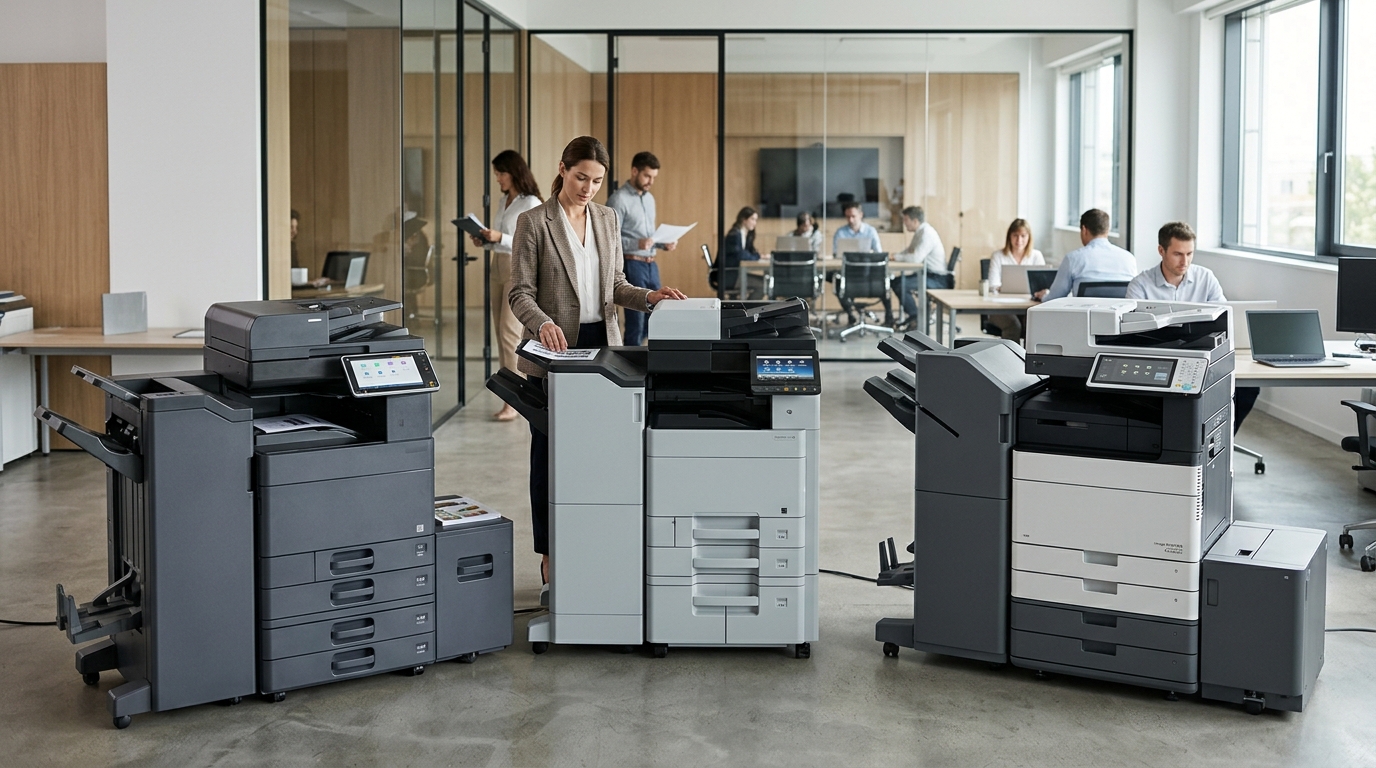
When your office needs a new multifunction copier, the number of choices can feel overwhelming. Ricoh copiers, Copystar copiers, Canon copiers, Xerox copiers, Kyocera copiers, and Sharp copiers can all enter the conversation, but choosing the right equipment isn’t simply about picking a familiar brand.
The better approach is to start with your office’s workflow.
How much do you print? How often do employees scan? Do you need color? Are multiple departments sharing the machine? Do you need advanced finishing? Are you considering a copier lease or copier rental?
Once you answer those questions, it becomes much easier to narrow down your options.
Ricoh Copiers: Consider the Complete Workflow
Ricoh is one of the brands businesses may encounter when evaluating office multifunction equipment.
When considering Ricoh copiers, don’t stop at print speed or equipment price. Look at the complete workflow.
For example, if employees spend a significant amount of time scanning paperwork, scanning functionality may be just as important as print performance.
If your company produces large document packages, finishing capabilities could be important.
And if your office handles confidential information, security features deserve attention.
The right Ricoh model depends on the environment in which it will operate.
Copystar Copiers: Another Option for Businesses
Copystar copiers are another option businesses can consider when shopping for office equipment.
PCG’s product resources include Copystar systems built around Kyocera technology, making the brand relevant to businesses comparing equipment in this segment.
As with any copier, the specific model should be matched to your workload.
Look at:
- Print speed
- Monthly volume
- Color or black-and-white output
- Scanning
- Paper capacity
- Finishing
- Connectivity
- Security
- Service
A machine can have impressive specifications but still be the wrong fit if it doesn’t match the way your employees work.
Canon Copiers: Look at Your Office Requirements
Canon copiers can also be part of a business’s equipment comparison.
When evaluating Canon equipment, consider how the machine fits your document workflow.
Does your office need high-volume printing?
Do employees scan large batches of documents?
Do you need professional color output?
Will several departments share the copier?
Does the equipment need to connect with existing systems?
Answering those questions can help narrow down which configuration makes sense.
Xerox, Kyocera, and Sharp Should Be Part of the Conversation
If you’re comparing Ricoh, Copystar, and Canon, it can also make sense to evaluate Xerox copiers, Kyocera copiers, and Sharp copiers.
There is no reason to limit your comparison before understanding your requirements.
Different manufacturers have different equipment families, configurations, and features.
The goal should be to find a machine that meets your needs.
Not every office needs the same copier.
Think About How Employees Use the Machine
One of the easiest ways to choose the wrong copier is to focus on the equipment instead of the people using it.
Walk through a normal workday.
What happens when an employee needs to print a 50-page document?
How are invoices scanned?
How are signed contracts stored?
Do employees need to make multiple copies?
Are documents being printed in color?
Does someone have to manually staple large packets?
Are employees constantly walking across the office to retrieve documents?
These everyday details can reveal what features your next copier actually needs.
A Copier Should Support Productivity
The goal of an office copier isn’t simply to produce pages.
It should support your employees.
For example, automatic document feeders can reduce the time spent manually scanning multi-page documents.
Duplex printing can reduce manual paper handling and help organizations use two-sided documents.
Finishing equipment can reduce the amount of time employees spend sorting and assembling document packages.
Network and digital scanning features can help move documents through the organization more efficiently.
These seemingly small improvements can matter when employees use the copier dozens or hundreds of times every day.
Consider Your Future Growth
A copier should not only meet today’s requirements.
Think about where your business could be a few years from now.
Maybe you’re hiring additional employees.
Maybe you’re adding another department.
Maybe your customer base is expanding.
Maybe your business is moving from paper-heavy processes toward digital workflows.
Your equipment needs may change as the business changes.
This is one reason businesses should discuss growth expectations when evaluating a copier lease.
Copier Lease vs. Copier Rental
The equipment decision is only one part of the process.
You also need to decide how you want to obtain the equipment.
A copier lease may make sense when your organization needs the machine for an extended period and wants to spread equipment costs over time.
Copier rental can make more sense when your need is temporary.
Printer Copier Guys offers both copier leasing and copier rental services. Its rental offering is designed for situations where businesses need equipment for shorter periods, while its lease program is designed around longer-term business requirements.
Think about how long you expect to use the equipment before choosing an arrangement.
What Should You Ask a Copier Dealer?
When comparing equipment, don’t be afraid to ask detailed questions.
A professional copier dealer should be able to help you understand how different models compare.
Consider asking:
What monthly volume is this machine designed to handle?
You want equipment that can comfortably support your expected workload.
What are the service options?
Understand how maintenance and repairs are handled.
What does the agreement include?
Ask about toner, service, parts, labor, meter readings, and other costs.
What happens when the agreement ends?
Understand your end-of-term options before signing.
Can the equipment grow with our business?
Your equipment should make sense not only today but also as your business changes.
Local Service Matters
One of the most overlooked parts of the copier decision is what happens after installation.
Even a reliable machine can eventually require maintenance.
When that happens, you want to know who is responsible for getting it running again.
Printer Copier Guys provides maintenance, on-site repair, and remote support for businesses in Riverside and San Bernardino counties.
Local support can be particularly useful for businesses that depend heavily on their copier.
A machine that sits unavailable for several days can create workflow problems throughout an office.
Don’t Forget Security
Modern multifunction copiers are connected office devices.
Depending on the model and configuration, they can interact with computers, servers, networks, cloud applications, and other systems.
That makes security worth discussing.
If your office handles sensitive information, ask about:
- User authentication
- Secure printing
- Access controls
- Network security
- Data protection
- Secure scanning
- Stored-document management
Your IT department or technology provider can help determine which features are appropriate for your organization.
Compare the Total Cost
The monthly lease payment is important, but it isn’t the complete picture.
Consider the total cost of operating the copier.
That may include:
- Lease payments
- Service
- Toner
- Maintenance
- Meter charges
- Supplies
- Repairs
- Additional page costs
- Upgrades
A machine that appears inexpensive initially may not be the most economical option once all operating expenses are considered.
The same is true when comparing copier rental options.
Look at the complete agreement rather than one number.
Create a Copier Comparison Checklist
If you’re comparing several brands and models, create a simple checklist.
For each copier, record:
| Category | What to Compare |
|---|---|
| Print Speed | Pages per minute |
| Volume | Expected monthly workload |
| Color | Color or black-and-white |
| Scanning | Speed and workflow features |
| Paper | Capacity and supported sizes |
| Finishing | Stapling, sorting, booklet options |
| Security | Authentication and data protection |
| Connectivity | Network and cloud compatibility |
| Service | Maintenance and repair support |
| Cost | Equipment and operating expenses |
This makes it easier to compare equipment based on your actual business needs instead of getting distracted by individual features.
Don’t Let the Brand Make the Decision for You
Brand recognition can be useful when beginning your research, but it shouldn’t make the final decision.
A Canon copier may be appropriate for one office while a Ricoh copier makes more sense for another.
One business may benefit from Copystar equipment, while another may choose Kyocera, Xerox, or Sharp.
The right answer depends on the application.
That is why working with a copier specialist can be useful.
Instead of simply asking for a particular brand, explain what your business needs the machine to do.
Final Thoughts
Choosing between Ricoh copiers, Copystar copiers, Canon copiers, Xerox copiers, Kyocera copiers, and Sharp copiers doesn’t have to be complicated.
Start with your workflow.
Determine your print volume. Identify the features your employees actually need. Consider security, scanning, finishing, connectivity, service, and future growth.
Then compare the equipment and the complete copier program.
If you’re looking at a copier lease, make sure you understand the terms and long-term costs. If your need is temporary, explore whether copier rental would be more appropriate.
Most importantly, choose equipment based on your business—not simply on the name printed on the front of the machine.
For businesses throughout Riverside and San Bernardino counties, Printer Copier Guys can help you evaluate copier options, leasing, rental, maintenance, and service based on your specific office requirements.
Need help choosing your next copier? Contact Printer Copier Guys and let us help you find an equipment solution that fits your workflow.