
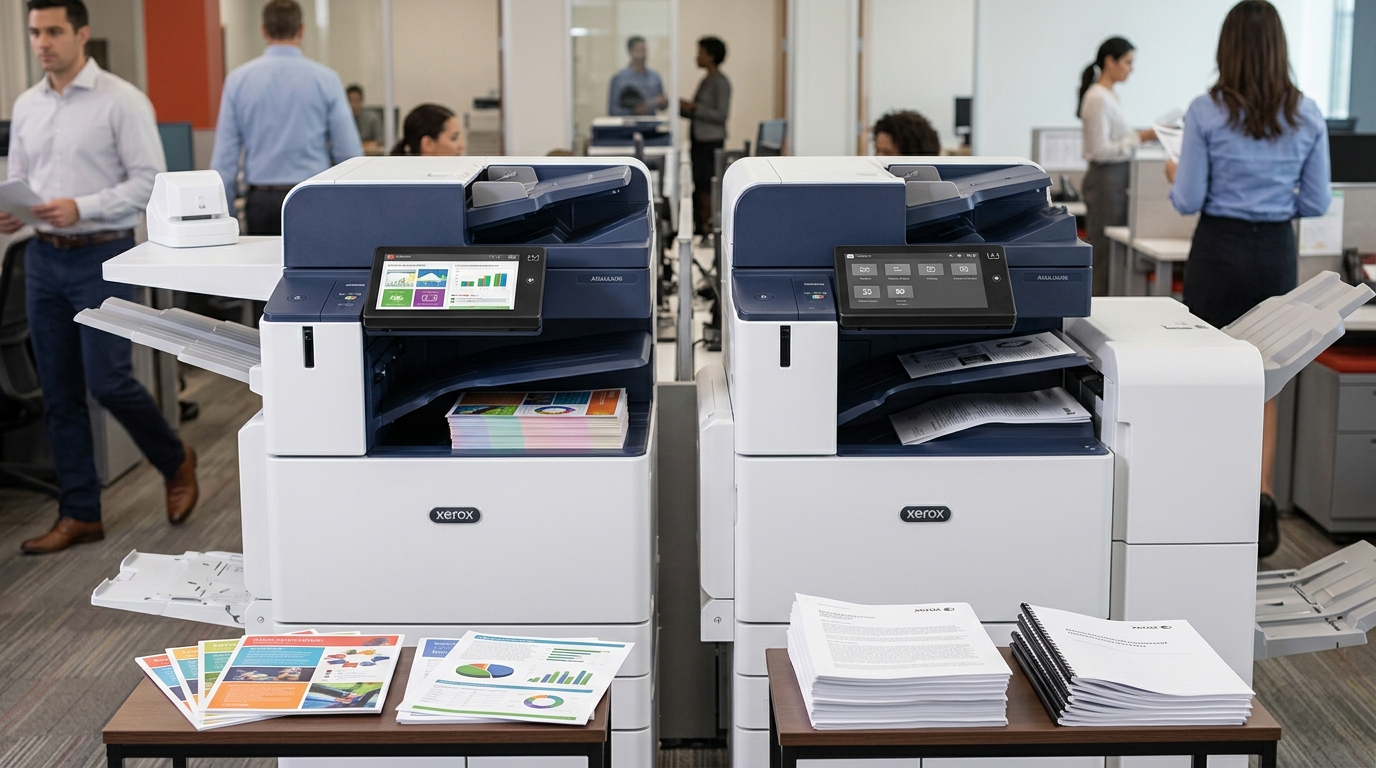
Choosing between a color copier and a black-and-white copier is an important decision for businesses evaluating their office equipment. While both options can handle everyday printing and copying, the best choice depends on your document requirements, printing volume, budget, and business operations.
If you are researching a color copier in San Bernardino or Palm Springs, understanding the differences between color and monochrome equipment can help you select a machine that delivers the right combination of performance and operating costs.
Businesses throughout Palm Desert, the Coachella Valley, and San Bernardino County should consider how often they actually need color printing before committing to a particular copier.
1. What Is a Black-and-White Copier?
A black-and-white copier, also known as a monochrome copier, produces documents using black toner.
These machines are commonly used by businesses that primarily print text-based documents.
Typical applications include:
- Invoices and purchase orders.
- Contracts and agreements.
- Internal office documents.
- Reports and financial statements.
- Forms and administrative paperwork.
- Shipping and inventory documents.
For companies that rarely need color, a monochrome copier may provide the functionality they need without paying for color printing capabilities.
Black-and-white equipment can be particularly useful for businesses with substantial text-based printing requirements.
2. What Is a Color Copier?
A color copier can reproduce documents using multiple toner colors, typically cyan, magenta, yellow, and black.
This allows businesses to produce documents containing graphics, photographs, charts, logos, and other visual elements.
Common uses include:
- Marketing materials.
- Sales presentations.
- Business proposals.
- Color-coded reports.
- Training materials.
- Real estate listings.
- Promotional documents.
For businesses that regularly communicate with customers through printed materials, color printing can help create more visually engaging documents.
A real estate office in Palm Desert, for example, may use color copiers to produce property presentations, while a marketing company in Palm Springs may need color equipment for client proposals and promotional materials.
3. Compare Printing and Operating Costs
One of the most important differences between color and black-and-white copiers is the cost of operation.
Color printing generally involves additional toner supplies and may have a higher cost per impression than black-and-white printing.
However, actual costs depend on the copier model, coverage, service agreement, toner pricing, and printing volume.
Before choosing a machine, consider:
Monthly printing volume: Estimate how many pages your business produces each month.
Color printing frequency: Determine how many pages genuinely require color.
Toner expenses: Compare the cost and expected yield of replacement toner.
Service agreement: Review whether supplies, parts, and labor are included.
Cost per page: Ask for separate black-and-white and color rates if your agreement uses a cost-per-page structure.
A business that prints thousands of pages but only needs color occasionally may find a black-and-white copier more economical.
A business that regularly produces customer-facing color documents may benefit from investing in a color-capable machine.
4. Which Copier Is Best for Different Businesses?
The best copier depends on how your organization uses printed documents.
Medical Offices
Medical offices may primarily print administrative forms, patient-related paperwork, and internal documents.
A black-and-white copier may be sufficient for many routine tasks, although color can be useful for charts, educational materials, and presentations.
Legal Offices
Law firms frequently produce contracts, case files, correspondence, and other text-heavy documents.
A monochrome copier may be appropriate for many legal workflows, while a color machine may be useful for exhibits, graphics, and presentations.
Real Estate Companies
Real estate businesses often use color photographs, property listings, marketing brochures, and promotional materials.
A color copier may provide greater flexibility for these applications.
Schools and Educational Institutions
Schools may require both black-and-white and color printing for worksheets, administrative paperwork, presentations, and educational materials.
The appropriate equipment depends on student enrollment, staff usage, and monthly print volume.
Professional and Corporate Offices
Accounting firms, consultants, insurance agencies, and other businesses may have mixed printing requirements.
A color multifunction copier can provide flexibility, but companies should evaluate whether its additional capabilities justify the operating expenses.
5. Should You Lease a Color Copier or Buy One?
Businesses have several ways to obtain office printing equipment.
Purchasing a copier gives the business ownership but requires an upfront investment.
Leasing provides access to equipment through scheduled payments over an agreed-upon period.
Rental may be appropriate for temporary requirements.
When comparing options, consider the total cost of equipment, toner, maintenance, service coverage, and expected monthly printing volume.
For businesses in San Bernardino and the Coachella Valley, selecting the right agreement is just as important as choosing the right copier model.
6. Can One Copier Handle Both Color and Black-and-White Printing?
Yes. A color multifunction copier can generally produce both color and black-and-white documents.
This may be useful for businesses that need color occasionally but still produce a large volume of routine monochrome paperwork.
However, businesses should understand how their equipment or service agreement calculates color and black-and-white impressions.
Some contracts apply different rates depending on the type of impression.
Reviewing these rates can help you manage printing expenses and establish appropriate employee printing practices.
7. Choosing a Copier for Your San Bernardino or Coachella Valley Business
Before selecting equipment, evaluate your current and future printing requirements.
Consider the number of employees, average monthly volume, document types, color frequency, scanning requirements, and available office space.
Businesses in San Bernardino, Palm Springs, Palm Desert, Indio, Cathedral City, Rancho Mirage, and surrounding communities may have different equipment needs depending on their industries.
Requesting an equipment recommendation based on actual usage can help prevent overspending or choosing a machine that cannot handle your workload.
Final Thoughts
Both color and black-and-white copiers have advantages. Monochrome machines are well suited to businesses that primarily produce text-based documents, while color copiers offer greater flexibility for marketing materials, presentations, and graphics.
The best choice depends on your business’s printing habits and operating budget.
If your company is comparing color and black-and-white copiers in San Bernardino, Palm Springs, Palm Desert, or the Coachella Valley, review your monthly printing volume before making a decision.
Need help selecting the right office copier? Request a quote or schedule a consultation to discuss color and black-and-white equipment options for your business.