
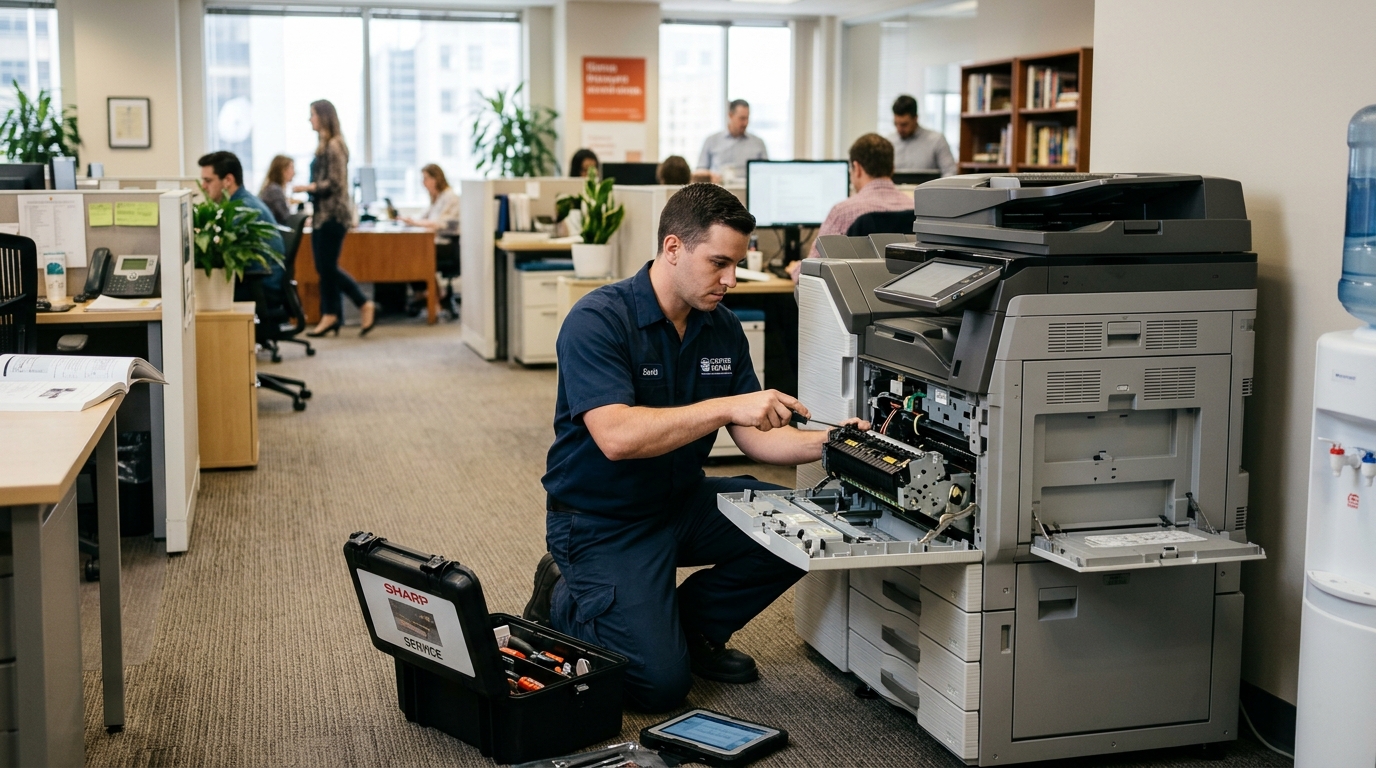
When office equipment stops working, businesses need a dependable way to restore their printing operations. Finding on-site copier repair in San Bernardino County can help companies address equipment problems without having to transport a large commercial copier to a repair facility.
For offices that rely on copiers and multifunction printers every day, equipment issues can affect employee productivity, document processing, and customer service. Having access to a local technician can make it easier to identify the problem and determine the next steps.
But what should businesses expect when requesting on-site copier repair? Understanding the service process can help office managers prepare and make the appointment more productive.
1. Identify the Copier Problem Before Requesting Service
Before contacting a repair provider, take a moment to identify what is happening with your machine.
Not every copier problem has the same cause. Some issues may involve paper handling, while others may be related to hardware components, network settings, or consumable supplies.
Try to identify the following:
- Is the copier completely unresponsive?
- Does it display an error code?
- Is it printing blank or faded pages?
- Are paper jams occurring repeatedly?
- Is scanning unavailable?
- Can employees print from some computers but not others?
- Does the problem affect color printing, black-and-white printing, or both?
Providing these details can help the service provider better understand the issue before scheduling a technician.
If an error message appears, write down the exact wording or code. This information may be useful during the initial assessment.
2. Provide the Copier’s Brand and Model Number
One of the most helpful details you can provide is the copier’s manufacturer and model number.
Different copier brands and models use different components, operating systems, and troubleshooting procedures.
For example, a Kyocera multifunction printer may require a different repair approach from a Xerox commercial copier.
The model information can help the service team identify the equipment and better understand the type of support that may be required.
You can usually find the model number on the front panel, an equipment label, or the machine’s information screen.
If possible, also provide the machine’s serial number.
3. Explain When the Problem Started
The timing of the problem can provide useful information.
Did the copier stop working suddenly? Did the issue begin after a power interruption, equipment relocation, software update, or network change?
For example:
- A copier that stopped connecting to computers after a network change may have a connectivity issue.
- A machine that began producing faded documents may require attention to its imaging or toner system.
- Repeated paper jams may indicate a paper-handling problem or a component that needs inspection.
These examples are not a substitute for professional diagnosis, but they can help technicians understand the equipment’s recent behavior.
4. Prepare the Copier for the Technician’s Visit
Once an appointment is scheduled, prepare the work area so the technician can access the equipment.
Make sure the copier is accessible and that there is enough room to open its panels and paper trays.
It is also helpful to:
- Keep the machine’s surrounding area clear.
- Make the error message available.
- Identify the person who can explain the problem.
- Provide access to the copier’s network environment when necessary.
- Have relevant service information available.
- Keep a sample of defective printed pages, if applicable.
If the problem affects multiple employees, ask them to explain what they experienced. This can help identify whether the issue is isolated to one workstation or affects the entire office.
5. What Does an On-Site Copier Technician Check?
The actual repair process depends on the reported symptoms and the equipment involved.
A technician may begin by reviewing the machine’s error messages and checking its general operating condition.
Depending on the issue, the inspection may involve:
Paper-handling components: The technician may examine paper trays, feed rollers, and related components if the copier is experiencing feeding problems.
Print-quality components: If documents appear faded, streaked, or inconsistent, the technician may inspect relevant imaging and printing components.
Mechanical operation: Unusual sounds, interrupted printing, and equipment errors may require a closer inspection of the machine’s internal mechanisms.
Network connectivity: If printing or scanning is unavailable, the technician may investigate the machine’s connection and relevant network settings.
Supplies and consumables: Low or improperly installed supplies may contribute to certain equipment issues.
After evaluating the machine, the technician can explain the findings and recommend the appropriate repair or follow-up service.
6. Why Local Repair Support Matters for Businesses
Businesses cannot always afford to wait for printing equipment problems to be resolved.
A real estate office may need to print contracts. A legal office may be preparing case documents. A medical administrative team may need to process important paperwork.
In these environments, an unavailable copier can interrupt several employees at once.
Working with a local service provider can make it easier to coordinate technician visits and communicate about equipment problems.
Printer Copier Guys serves businesses in San Bernardino and Riverside counties, with on-site repair support for office copiers and printers.
Service availability and scheduling depend on the equipment issue and technician availability.
7. How Can Businesses Reduce Repeat Repair Requests?
Although some equipment failures are unavoidable, businesses can take steps to support more consistent copier performance.
Consider establishing basic office procedures:
- Use the paper sizes and types recommended for the machine.
- Avoid overfilling paper trays.
- Follow manufacturer instructions when clearing accessible paper jams.
- Keep ventilation areas unobstructed.
- Use compatible supplies.
- Report recurring error messages instead of repeatedly ignoring them.
- Arrange regular maintenance when recommended.
Employees should also know whom to contact when equipment problems occur.
These simple practices can help prevent minor issues from becoming larger disruptions.
8. Finding On-Site Copier Repair in San Bernardino County
Businesses throughout San Bernardino, Ontario, Fontana, Rancho Cucamonga, Chino, Redlands, and nearby communities need access to reliable office equipment support.
When searching for on-site copier repair in San Bernardino County, consider the provider’s service coverage, equipment experience, repair process, and availability of ongoing maintenance.
Printer Copier Guys offers copier and printer repair and maintenance services for businesses in San Bernardino and Riverside counties.
Whether you operate a small professional office or manage a larger workplace with several multifunction devices, the team can help you discuss your equipment service requirements.
Schedule Copier Repair With Printer Copier Guys
A copier problem does not have to leave your office without a clear next step.
Providing accurate equipment information and describing the symptoms can help make the service process more efficient.
If your business needs on-site copier repair in San Bernardino County, contact Printer Copier Guys to discuss your machine’s condition and arrange service.
Printer Copier Guys
Phone: 760-250-8037
Customer Service: 760-406-8611
Email: sales@pcgcopiers.com
Website: https://pcgcopiers.com/