
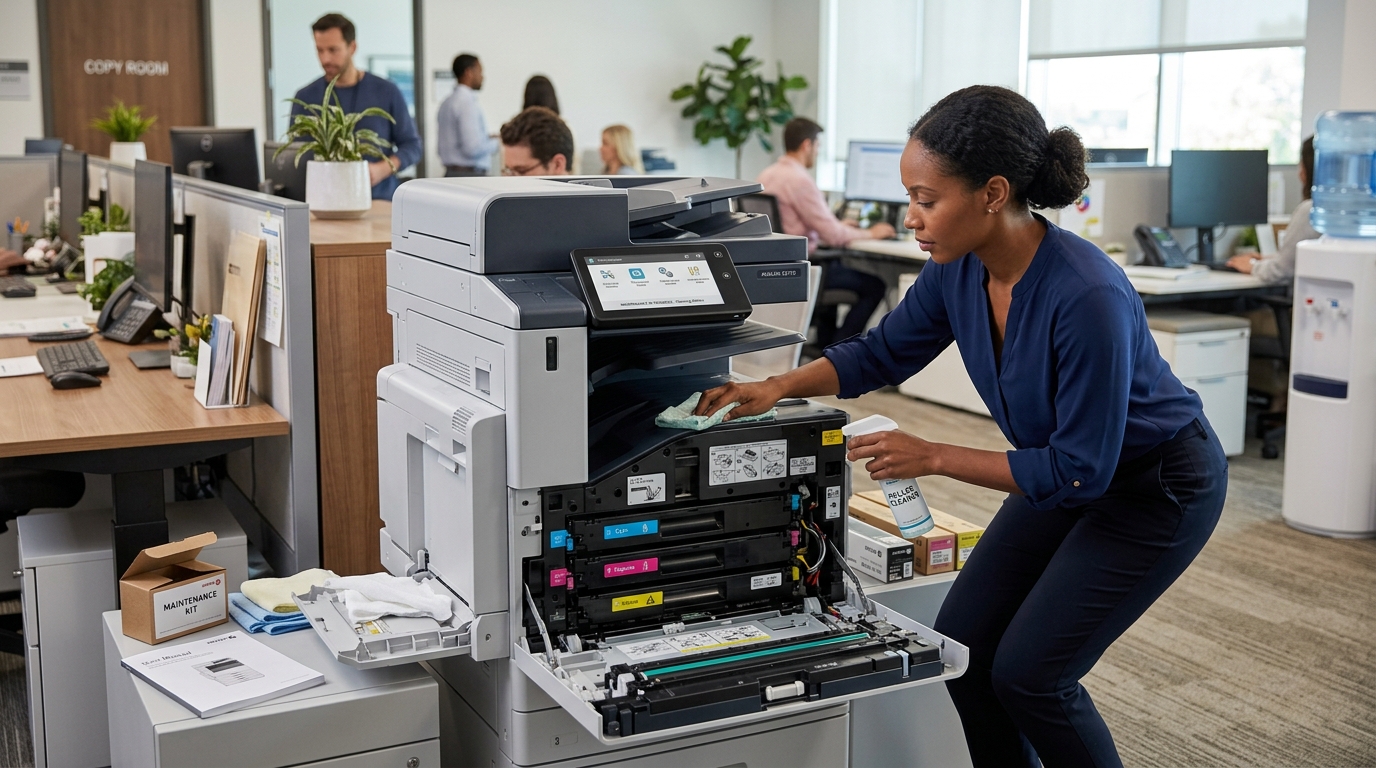
Regular copier maintenance can help businesses reduce unexpected downtime, maintain consistent print quality, and extend the useful life of their office equipment. While employees shouldn’t attempt complicated repairs themselves, there are several simple habits that can help keep a copier operating properly between professional service visits.
A copier is often used hundreds or thousands of times each month. Dust, paper debris, worn components, and improper handling can eventually affect performance.
Taking a proactive approach can help prevent small problems from becoming larger ones.
1. Keep the Copier Area Clean
The environment around the copier matters.
Dust and debris can accumulate around equipment, while spilled liquids can create serious problems.
Keep the area around the copier clean and dry.
Avoid placing drinks directly beside the machine.
Don’t use the top of the copier as a storage area for boxes, office supplies, or heavy objects.
A clean environment helps protect both the equipment and the people using it.
2. Use the Correct Paper
Paper plays an important role in copier performance.
Use paper that is appropriate for your equipment.
Store paper in a dry environment and keep unopened reams sealed until they’re needed.
Moisture can cause sheets to stick together, increasing the possibility of paper jams.
Avoid loading damaged, curled, or heavily wrinkled paper into the machine.
3. Don’t Overload Paper Trays
Paper trays have capacity limits.
Don’t exceed the recommended level.
Overloading can create feeding problems and may increase the likelihood of jams.
Make sure the paper guides are positioned correctly.
They should hold the paper securely without pressing too tightly against the stack.
4. Keep the Glass Clean
The document glass is one of the easiest components for employees to maintain.
Dust, fingerprints, and residue can appear as spots or lines on scanned and copied documents.
Clean the glass according to the manufacturer’s recommendations.
Use appropriate cleaning materials and avoid spraying liquid directly onto the machine.
A clean scanning surface helps maintain better document quality.
5. Handle the Document Feeder Carefully
The automatic document feeder is designed to make scanning and copying multiple pages easier.
But it can also become a source of problems if users place unsuitable documents inside.
Remove staples, paper clips, sticky notes, and other objects before scanning.
Avoid feeding torn or heavily damaged documents.
If the feeder starts making unusual noises or repeatedly jams, stop using it and contact a technician.
6. Don’t Force Jammed Paper
When a paper jam occurs, follow the machine’s instructions.
Don’t pull aggressively.
Don’t force panels open.
Don’t reach into areas that are hot or difficult to access.
A torn piece of paper left inside the machine can create another problem.
If you cannot safely clear the jam, professional service is the better option.
7. Watch for Changes in Print Quality
Your employees may notice changes in print quality before an equipment problem becomes serious.
Look for:
- Lines
- Spots
- Faded areas
- Uneven toner
- Repeated marks
- Wrinkled pages
- Misaligned documents
Some issues may be resolved through routine maintenance or replacing consumables.
Others may indicate that a component needs professional attention.
8. Monitor Toner Levels
Running out of toner in the middle of an important project is frustrating.
Monitor toner levels and keep appropriate supplies available if your service arrangement requires it.
If your copier is connected to a monitoring system, use it to help track supply levels.
Some service agreements may include automatic toner replenishment.
Ask your copier provider how supplies are handled.
9. Schedule Preventive Maintenance
Don’t wait for the copier to stop working before contacting your service provider.
Preventive maintenance can identify worn components and potential problems before they become major failures.
The appropriate maintenance schedule depends on the machine and usage.
High-volume equipment may require more frequent attention than a lightly used office copier.
Follow the manufacturer’s recommendations and your service provider’s guidance.
10. Keep the Copier’s Firmware and Software Updated
Modern copiers are connected devices.
Depending on the model, firmware and software updates can address security issues, improve functionality, and support compatibility.
Work with your IT team or copier provider to determine whether updates are available and appropriate for your environment.
Don’t install unknown software or updates without verifying their source.
11. Pay Attention to Error Messages
Don’t ignore recurring error messages.
If an error appears once and disappears after following the manufacturer’s instructions, it may not indicate a major problem.
But repeated errors should be investigated.
Write down the error code if possible.
This can help your service technician diagnose the problem more efficiently.
12. Don’t Ignore Unusual Noises
You know how your copier normally sounds.
If it suddenly begins making grinding, squealing, clicking, or other unusual noises, pay attention.
Unusual sounds can sometimes indicate mechanical wear.
Continuing to operate equipment that is making abnormal noises may turn a relatively minor issue into a more expensive repair.
13. Train Employees
Copier maintenance isn’t only the responsibility of the service technician.
Employees should know how to use the equipment properly.
Basic training can cover:
- Loading paper
- Replacing toner when appropriate
- Clearing simple jams
- Using the document feeder
- Selecting paper settings
- Reporting recurring problems
- Keeping the area clean
Proper usage can help reduce avoidable equipment problems.
14. Know When to Stop Troubleshooting
There is a difference between basic troubleshooting and copier repair.
Employees can often handle simple tasks such as removing an accessible paper jam or replacing an approved toner cartridge.
They shouldn’t attempt to disassemble internal components or repair electrical and mechanical systems.
If the problem isn’t obvious, call a professional.
Trying to fix a complicated copier problem without the proper knowledge can cause additional damage.
15. Keep Service Records
Keep track of your copier’s maintenance and repair history.
Record:
- Service dates
- Repairs
- Parts replaced
- Recurring problems
- Meter readings
- Maintenance visits
This information can help identify patterns.
For example, if the same component has required replacement several times, it may be worth discussing whether the machine should be repaired again or replaced.
How Often Should a Copier Be Serviced?
There isn’t one maintenance schedule that applies to every copier.
Service frequency depends on:
- Equipment type
- Monthly print volume
- Age
- Usage
- Environment
- Manufacturer recommendations
A small office with light printing may have different maintenance needs than a high-volume production environment.
Your copier service provider can recommend an appropriate schedule.
Maintenance Can Help Protect Your Investment
A copier represents an investment in your business.
Taking care of the equipment can help maximize its useful life and keep employees productive.
However, maintenance isn’t a guarantee that equipment will never fail.
Eventually, every copier reaches the point where replacement makes more sense than continued repair.
When that happens, your service history can help you make a more informed decision.
Final Thoughts
Good copier maintenance doesn’t require employees to become technicians.
It requires consistent habits.
Use the right paper, keep the machine clean, follow operating instructions, monitor print quality, schedule preventive service, and address recurring problems before they become larger issues.
Most importantly, know when to stop troubleshooting and call a professional.
Printer Copier Guys provides copier maintenance and repair services for businesses throughout Riverside and San Bernardino counties.
Need help keeping your copier reliable? Contact Printer Copier Guys to discuss maintenance, repair, or service options for your office.